 HYPSO Portalen
Manuelle Geo-refrencing with Qgis
If after plotting the image on the map (See demo.ipynb), a mismatch is observed, manual georeferencing needs to be done by selecting matching points between the HYPSO capture and a reference map (OSM is recommended). At least 6 points are recommended to be selected, although more is better. If possible, select regions across the entire image for a better correction.
Step 1: In QGIS install the plugin "QuickMapServices" as it contains OpenStreeMaps (OSM) by default (see https://plugins.qgis.org/plugins/quick_map_services/)
Step 2: Drag and drop into QGIS the GeoTiff which contains the name "rgba_8bit". You can use the one in the folder "geotiff" which is inside the HYPSO folder
Step 3: Select the option in the menu from Web -> QuickMapServices -> OSM -> OSM Standard. The map will load as well as your image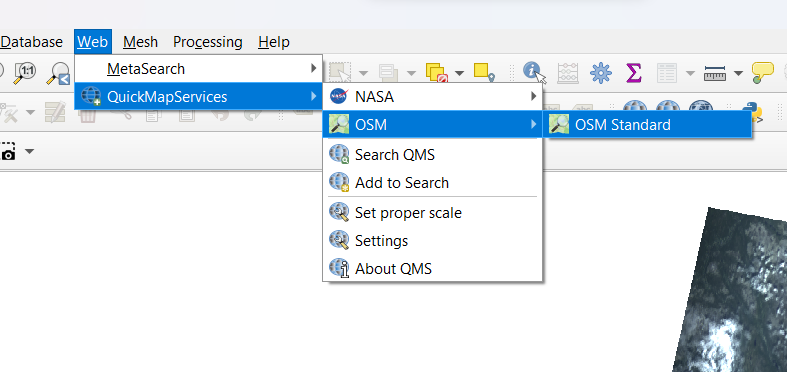
Step 4: On the "Layer" window (left side) place the cursor on top of the OSM standard and verify the CRS as EPSG:3857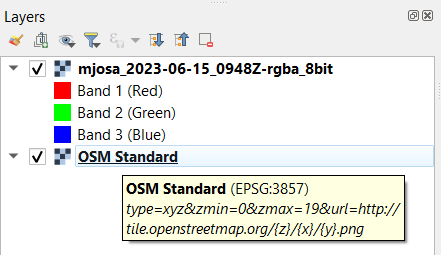
Step 5: Go to the menu Layer -> Georeferencer...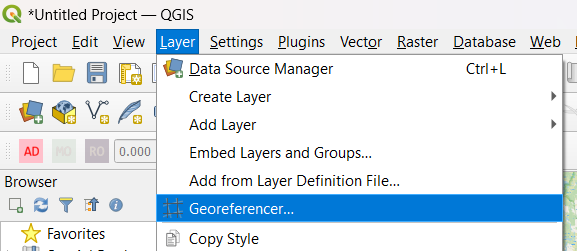
Step 6: Click File -> Open Raster...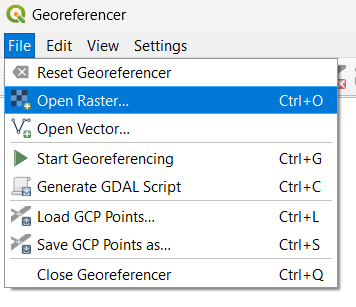
Step 7: You can deactivate the layer of the first image you dragged on the "Layers" window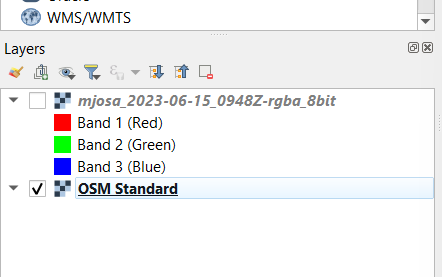
Step 8: In the georeferencer window, click an area in the HYPSO image that you can observe on both the HYPSO capture and the OSM map (see green dot in image). A new window will appear called "Enter Map Coordinates". Click on the botton "From Map Canvas". The window will minimize and will wait for you to now click the same area but in the OSM map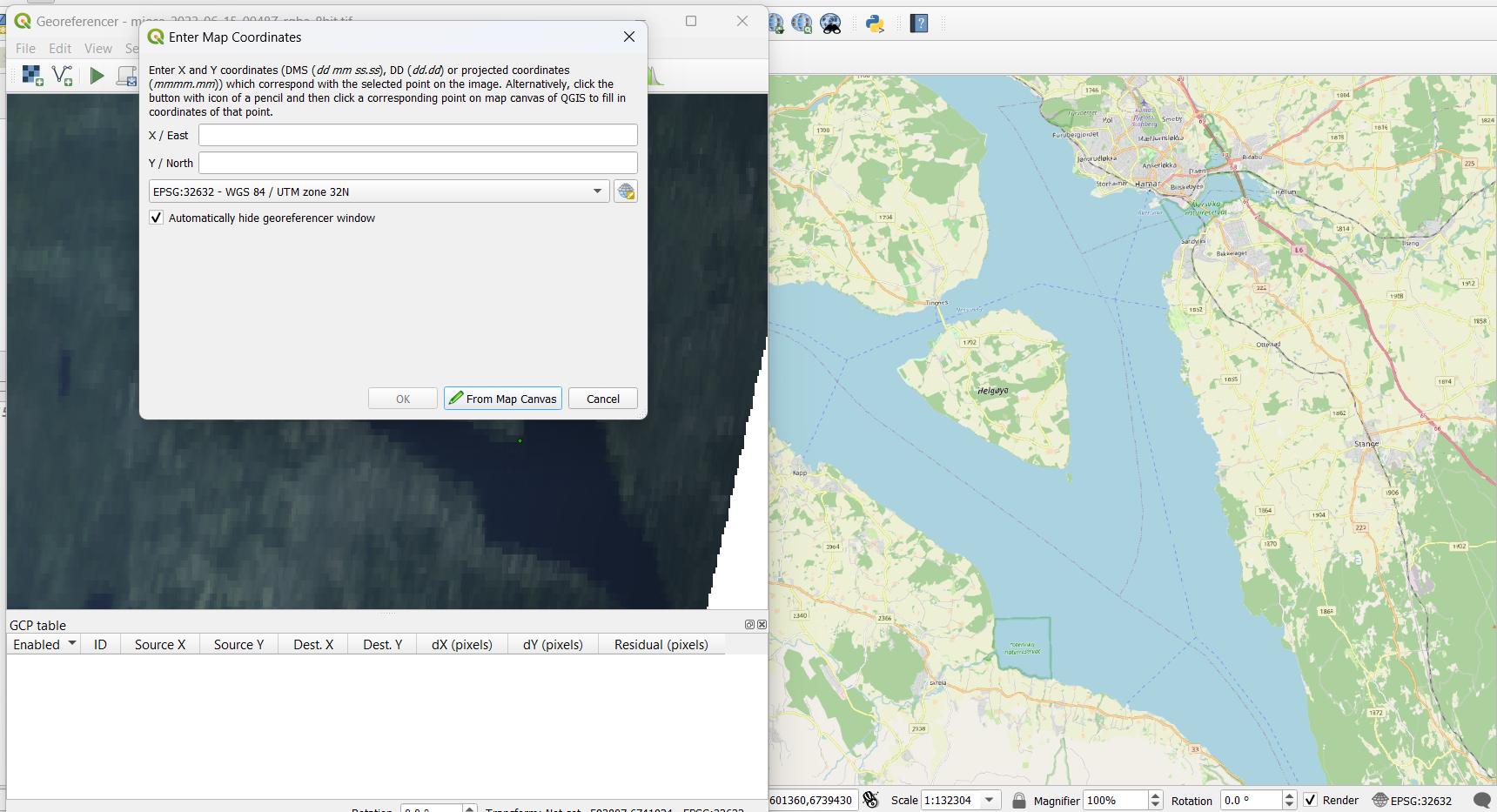
Step 9: The window will appear again with coordinates and 2 green dots will be visible in the HYPSO capure and the OSM map. Click OK
Step 10: At the bottom of the Georeferencer window the match will appear, repeat the process until at least 6 points are selected.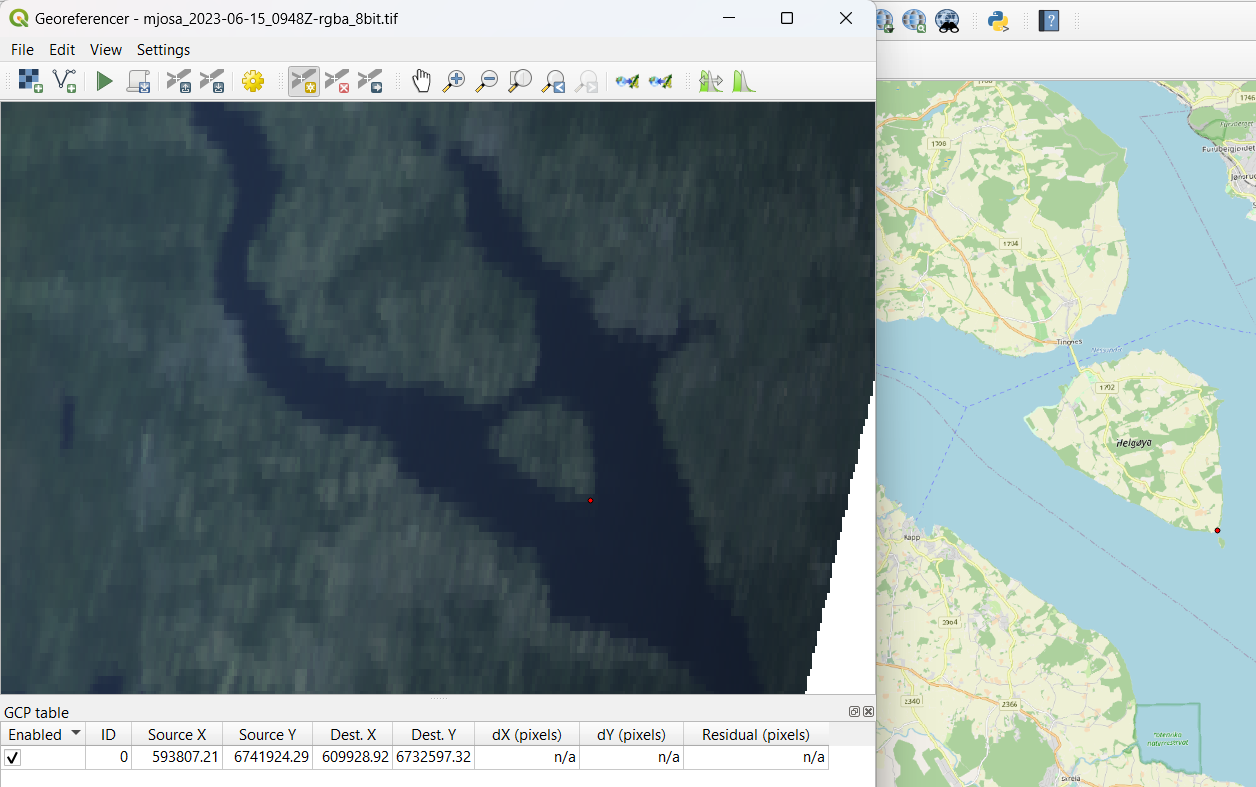
Step 11: Once you are done go to the menu in the georeferencer window File -> Save GCP Points as... and save the "*.points" file in the same directory as the HYPSO root folder (it has to be inside)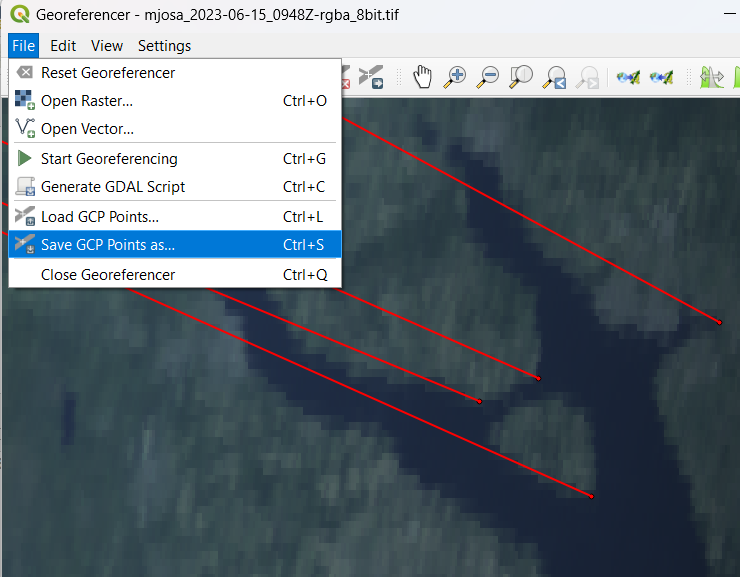
Step 12: Reload the HYPSO image again in Python (if you are using Jupyter notebooks, restart the kernel).
IMPORTANT:CRS to be used in the OSM map is 'epsg:3857', use default for HYPSO or the match will fail.